

"You should spend far more time sharpening the axe than chopping the tree." With Deep Research from ChatGPT this is literal: you can produce a market report that looks like it was written by a competitive intelligence analyst in a few minutes, if you use it well. The difference between a real insight and ten wasted minutes is all in the preparation.
Start from the decision, not the topic
Mistake number one is firing off a generic prompt about the "news tools market." First clarify which business decision needs that research. In my case: figuring out whether it makes sense to build a SaaS that uses AI to filter and personalize news for professionals.
Then frame the problem: not "yet another news reader," but the fight against information overload. And map the ecosystem: news aggregation, content curation, media monitoring, professional intelligence, AI assistant. One trick: brainstorm with ChatGPT itself first to sharpen what you need, then launch Deep Research.
Golden rule: the prompt matters more than the execution. Sharpening the axe (deciding, framing, mapping) is 70% of the work.
Define the output before the prompt
Even before writing the prompt, decide the exact structure of the report you want. If you don't specify it, the model decides for you. And you end up with something that looks like Wikipedia, not a decision-making document.
- · Executive summary
- · Problem analysis
- · Market map
- · Competitors (direct / indirect / substitute)
- · Comparison table
- · AI feature analysis
- · Pricing analysis
- · Target segments
- · Gaps and opportunities
- · Risks
- · Strategic recommendation
- · Positioning + next steps
Decide what to have it analyze
Report structure done. Now you tell Deep Research what to look at. Three levels to spell out, ranked by how often they get forgotten:
- 1
The market segments
AI-powered content curation, news aggregation, media intelligence, executive briefing, tools for knowledge workers. Name them yourself: if you let the model decide, it hands you generic categories.
- 2
The types of competitors
Direct, but also indirect (ChatGPT itself, Perplexity) and substitute (curated newsletters, LinkedIn sources). This is where the real competitive picture hides.
- 3
The sources to pull from
You can now name specific platforms (Crunchbase, Product Hunt) instead of letting the system pick them on its own. The quality of the sources decides the quality of the report.
The decision-ready prompt to copy
Here's the full prompt that ties together the decision, the output, and what to analyze. Copy it, swap in your own product, and paste it into Deep Research.
Act as a senior analyst with expertise in market analysis, competitive intelligence, and SaaS strategy.

I want a decision-ready report on the market for a SaaS that uses artificial intelligence and machine learning to filter, organize, and personalize news for professionals.

Goal: understand whether there's market space, identify direct, indirect, and substitute competitors, analyze pricing, positioning, and features, and pinpoint gaps and opportunities.

Analyze the market for: news aggregation, content curation, media monitoring, professional intelligence, and tools for knowledge workers.

Include in the report:
- executive summary
- analysis of the information overload problem
- market map
- competitor list (direct, indirect, substitute)
- competitor comparison table
- feature analysis (AI, personalization, filtering, ranking)
- pricing analysis
- target segments
- market gaps, opportunities, and risks
- strategic recommendation and suggested positioning
- next steps

Highlight the differences between competitors and point out where the market is underserved.
The explicit role ("senior analyst"), the decision-making goal, and the list of sections are the three parts that make the difference. Don't cut them to save time.
Launch, correct and steer the research
Deep Research isn't "hit enter and come back in twenty minutes." It's a process you can steer while it runs, and that's where the final quality gets decided.
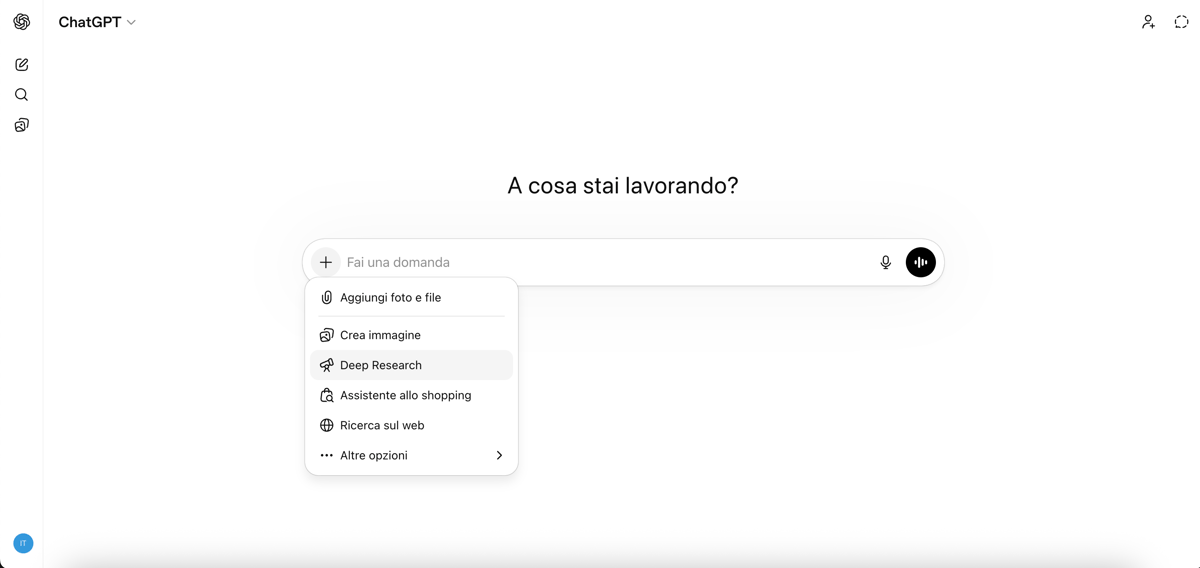
Always edit the research plan. Those 55 seconds before the automatic launch are the most underrated moment in the whole flow.
Real limits (and how not to get fooled)
Deep Research isn't absolute truth: it's an extremely fast analyst that needs guidance. If you know which decision you're making and how to describe it, it saves you days of research. If you use it carelessly, it hands you a report that looks authoritative and isn't. That's the whole method.


