
From Loom to web page Part 2 of 3

Generate the Page with Claude Design

~4 min read Updated Aug 24, 2026

Claude Design, and the move that unlocks everything

Claude Design is Anthropic Labs' tool for creating designs, prototypes and pages by collaborating with Claude. With the latest update it's learned to respect your design system instead of churning out the usual generic mockup.

The practical move, because this is where a lot of people get stuck: open claude.ai/design, create a new project and in the chat paste the prompt together with the "for agent" link copied from Clips. That's it. No files to upload: Claude opens the link on its own, reads the transcript and looks at the frames.
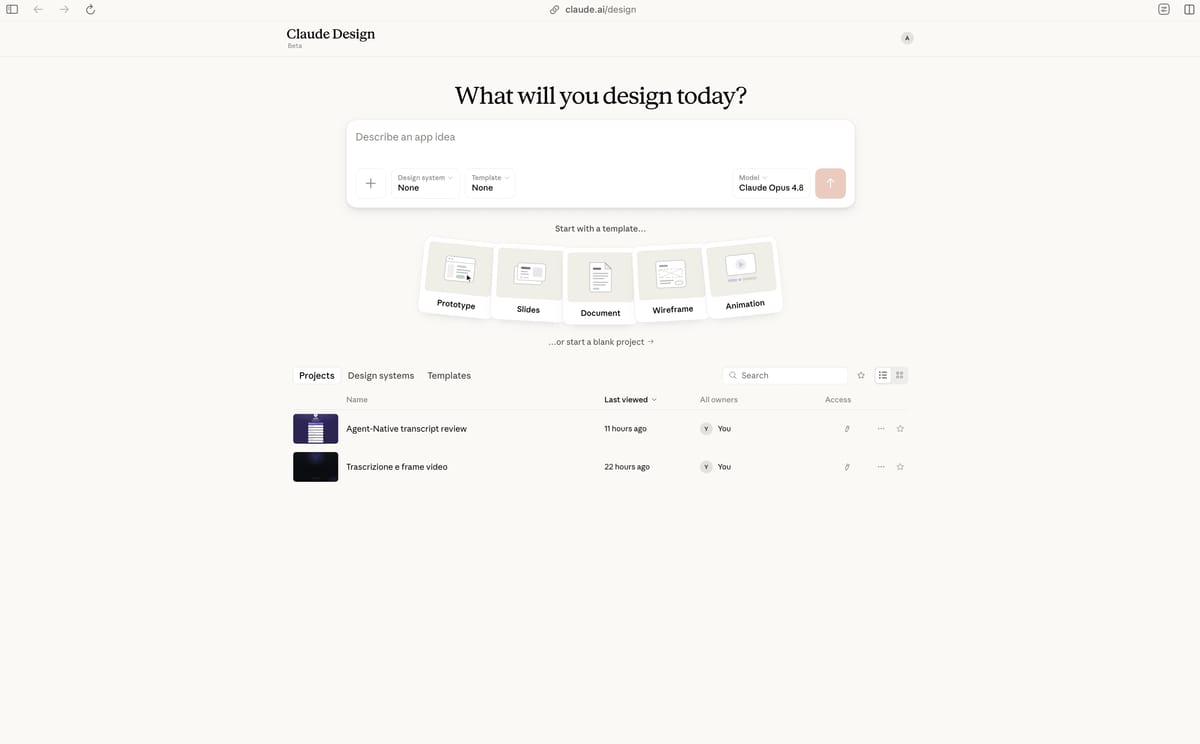
The Claude Design interface with a newly created project
Claude Design: a new project, ready for the prompt and the Clips link.

From here I tried two paths, and the results change visibly.

Path A: without a design system

I start clean: I give Claude Design the "for agent" link of the Clip and ask it to replicate the linktree in the style shown in the video. No design system upstream.
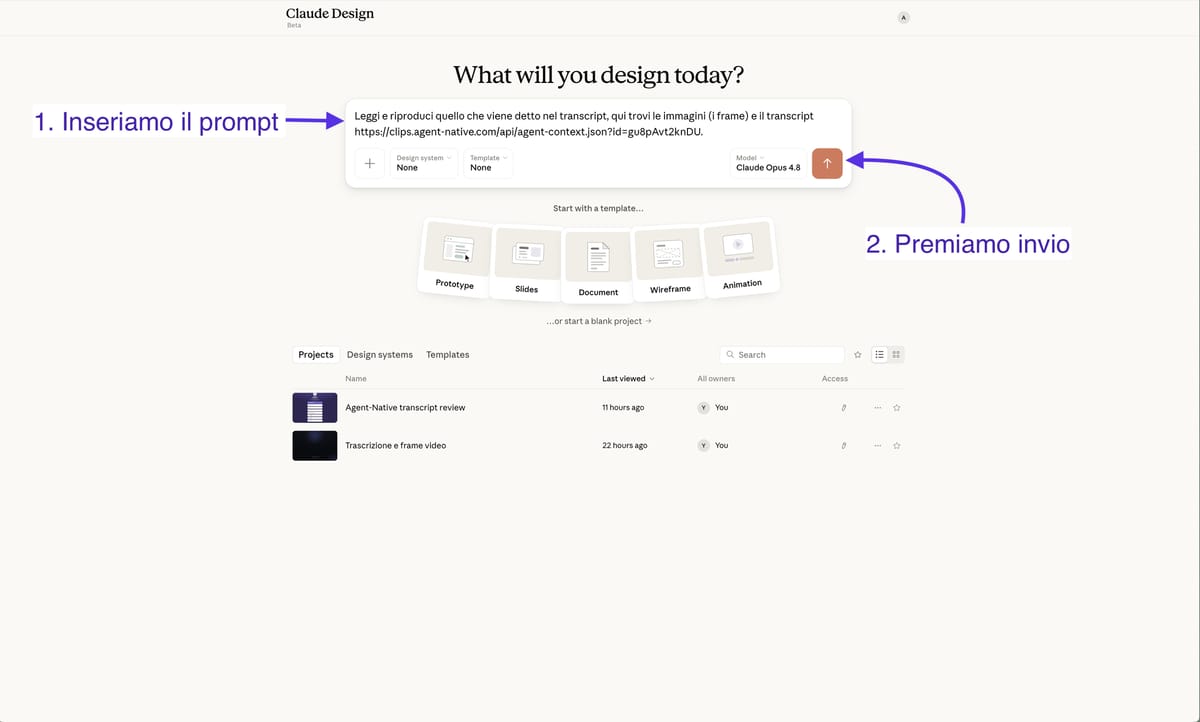
The Path A prompt pasted into Claude Design, with only the agent link
Path A: the agent link and a minimal prompt, no design system.
PROMPT · PATH A
Read and reproduce what's said in the transcript, here you'll find the images
(the frames) and the transcript https://clips.agent-native.com/api/agent-context.json?id=gu8pAvt2knDU.
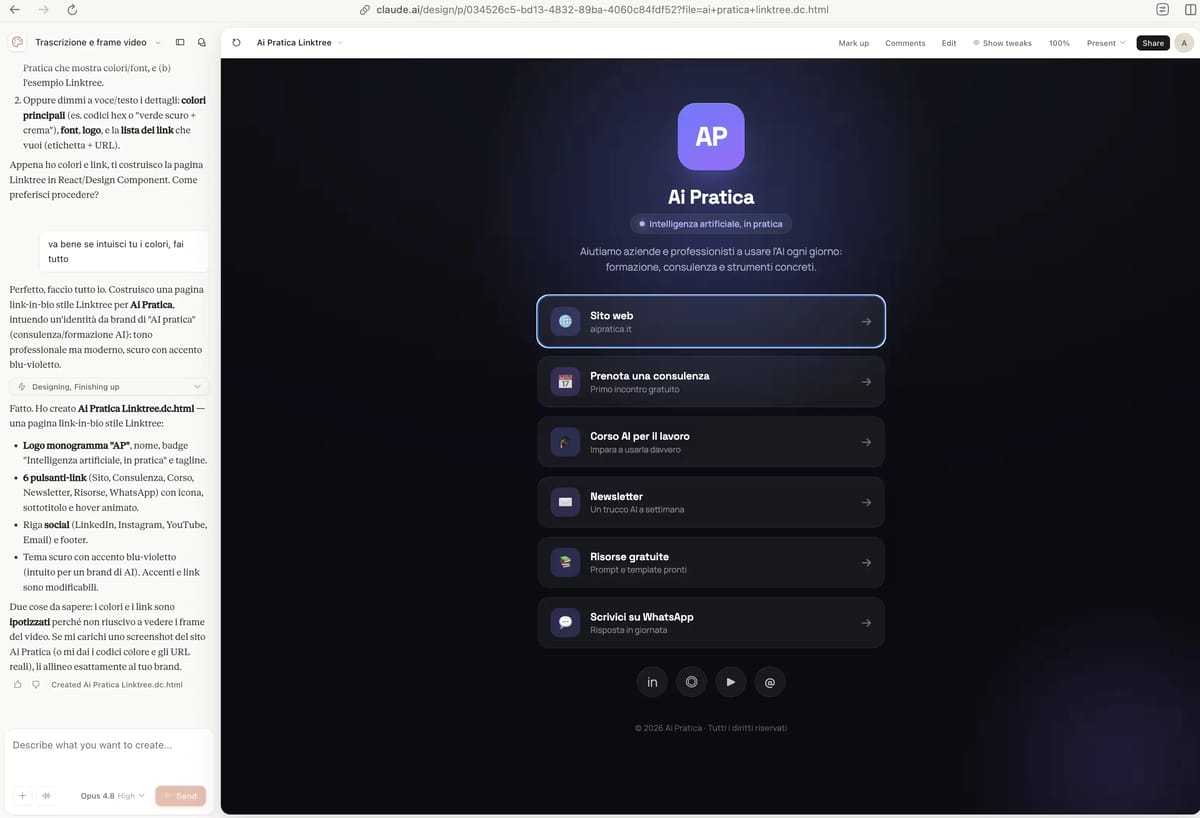
The result obtained without a design system, with a second prompt to clarify AI Pratika's colors
The result without a design system: I had to add a second prompt for AI Pratika's colors.

You download the result directly (or export it, for example to PDF, or connect it to a platform like Vercel to put it online). It's good, surprisingly so for the effort involved. But, honestly, without a design system the agent "interprets" the style: it gets the gist, not the fine details.
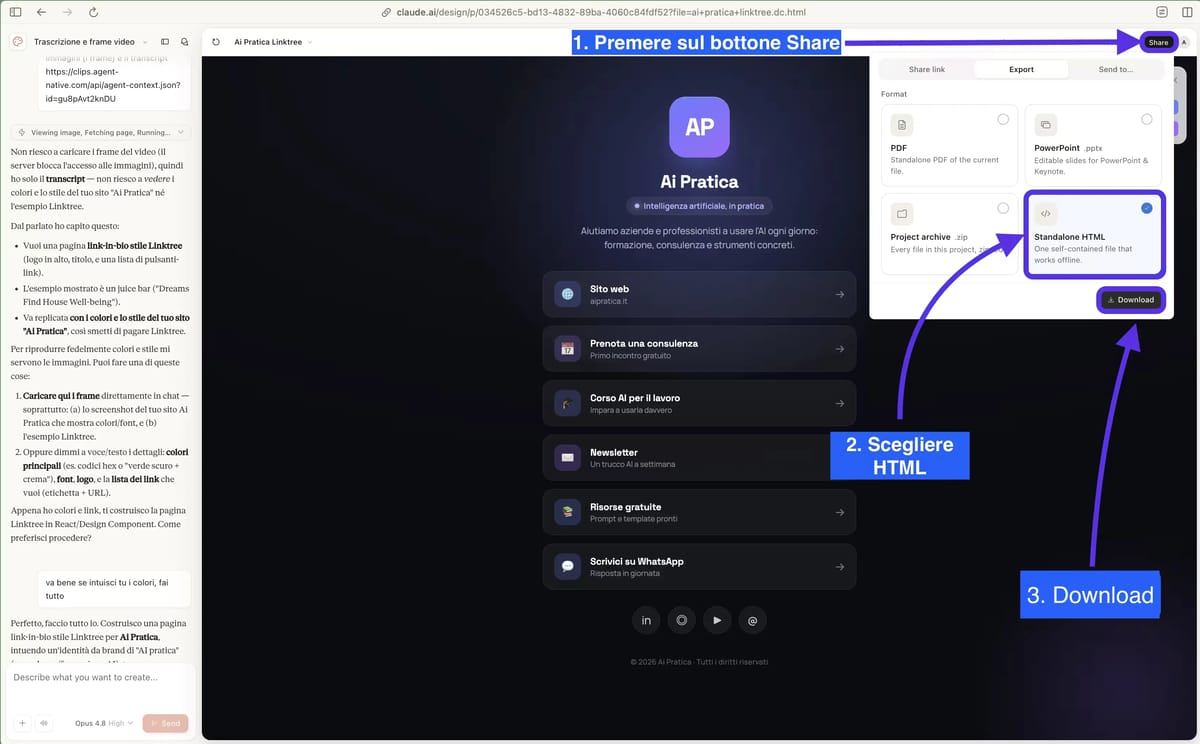
The process for downloading the page created by Claude Design
The process for downloading the created page.

Path B: with a design system

A design system is the set of colors, fonts, spacing and components for your brand: the rules for how things should look. Claude Design can import it from a file, a repository or the assets you provide, so you start from your brand instead of from scratch.
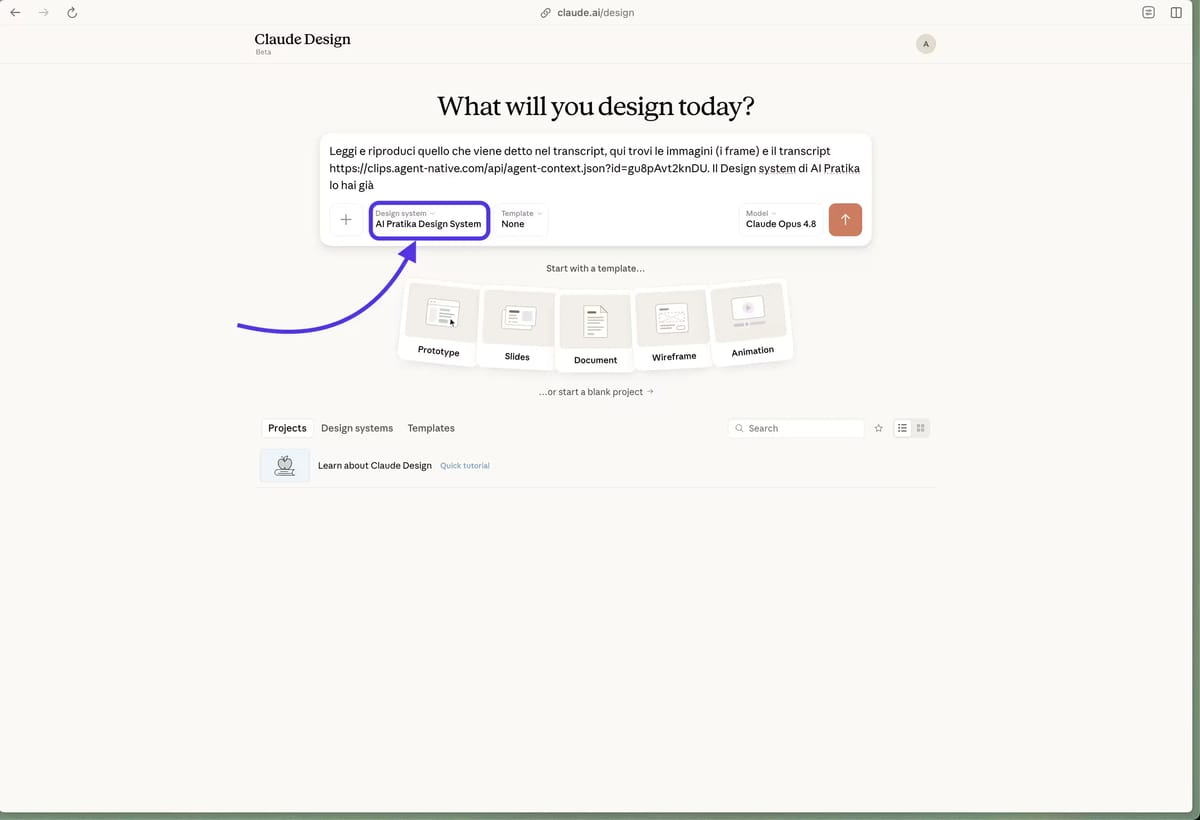
Setting up the Design System inside Claude Design
In Claude Design, I set up the Design System.
PROMPT · PATH B
Read and reproduce what's said in the transcript, here you'll find the images
(the frames) and the transcript https://clips.agent-native.com/api/agent-context.json?id=gu8pAvt2knDU. You already have AI Pratika's Design System

Same video, same link, but now Claude Design has approved components to build on, and before showing you the result it checks it against the design system.
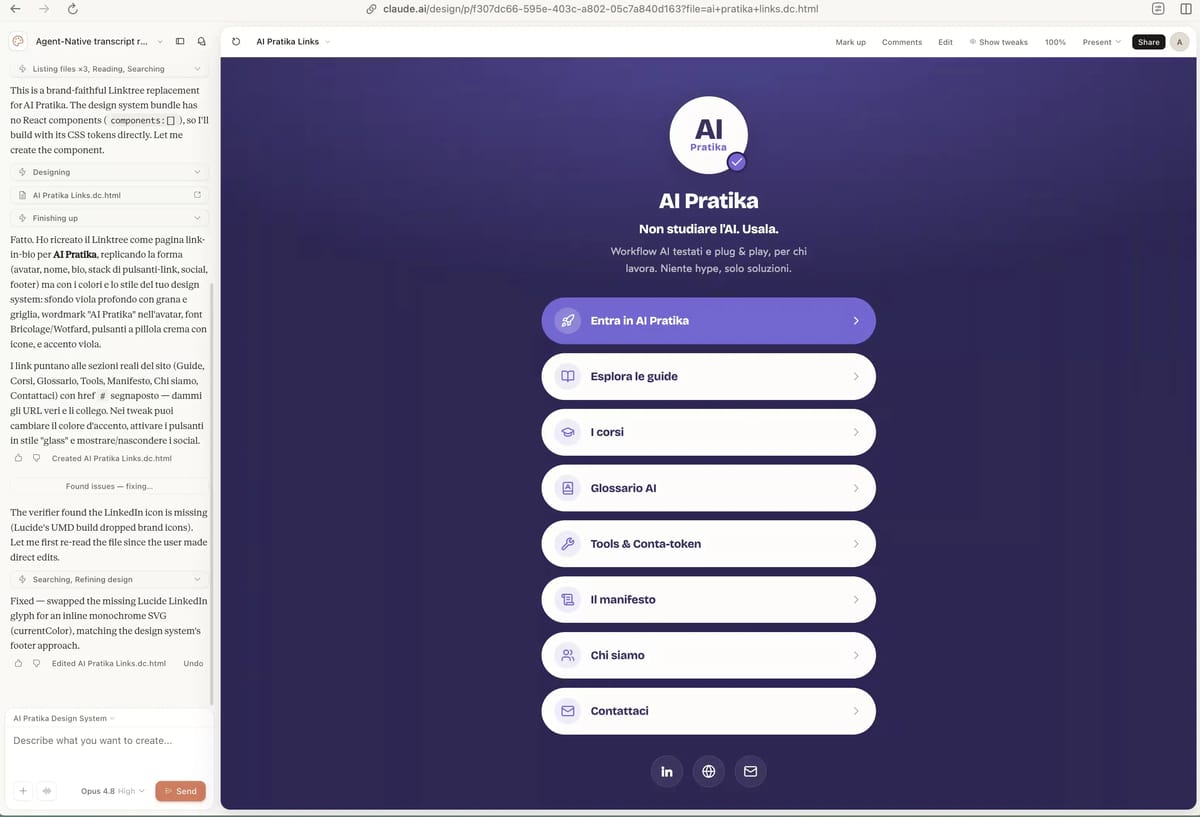
The result obtained using AI Pratika's Design System: consistent colors, spacing and typography
The result with AI Pratika's Design System: correct colors, consistent spacing, aligned typography.

The difference is visible without needing an explanation. A design system isn't a nerdy indulgence: it's the difference between "cute" and "publishable".

Skipping the design system is the shortcut you pay for later. Without one, the agent guesses the style and you spend half an hour manually fixing what a design system would have handed it ready-made.

From a Confusing Brief to a Complete UX/UI A vague brief becomes a navigable app. Product Ad From a Single Photo A photo becomes an animated ad, no code required. Get Claude to Watch Your Videos Claude watches your videos and turns them into text. Higgsfield Inside Claude Code Generate images and video while you code in Claude Code. Turn a Loom Recording Into a Web Page A screen recording becomes a web page, no code. Vertical Shorts With NotebookLM Your sources become a vertical short. Luxury Landing Pages on Lovable A luxury landing page from a single prompt. Excalidraw Running Locally Excalidraw free on your computer, no code. Mistral OCR in Your Workflow Extract text from documents with Mistral OCR. Claude SEO in the Terminal 25 free SEO skills inside Claude Code. Google Search Console inside Claude Code Search Console data inside your terminal. Claude Code Routines Claude working on its own, computer off. Clone a Landing Page in React With v0 Clone a real landing page into React code. Context Economy With Claude Work light and don't burn through Claude's limits. From Prompt to Self-Improving Skill Claude skills that learn from your mistakes. From NotebookLM to Canva: Presentations NotebookLM slides, finally editable in Canva. The Map for Understanding Every AI Tool 12 categories for placing any AI tool. Transparent PNGs With ChatGPT Real transparency, not a fake checkerboard. Animated Infographics With Gemini Infographics that loop, animated with Gemini. Market Research With Deep Research Deep Research as your market analyst. Get Cited by AI Search Engines (AEO) Become a source that ChatGPT and Perplexity cite.