Claude Code Basics Lesson 23 of 46
Verification in the Loop: Give It a Yardstick

- The plan says what it will do. The yardstick tells it whether it came out right.
- A yardstick is something it can compare its own work against: an image, a sample file, a checklist.
- With a yardstick it corrects itself, inside the loop, without going through you.
- Without a yardstick, you're the only judge — and only at the end.
The problem with not knowing you got it wrong
Let's put two things you already know back together. The agent loop is: think, act, check how it went, decide the next move. And the model, on its own, has no idea what you had in mind.
Put the two together and the weak point shows up: if that "check how it went" has nothing to compare against, it turns into a guess. It thinks it finished the job well. You open the result, and it isn't.
The fix isn't explaining better in words. It's giving it a yardstick: something it can measure its own work against, on its own.
What a yardstick looks like
An image. If you want something to come out a certain way, hand it a screenshot or a mockup instead of describing it. An image is both the request and the yardstick: it looks at it, builds, compares.
An already-finished example. "Make the others like this one." One well-made file is worth three paragraphs of instructions.
A check it can run. Something that gives a clear pass/fail outcome, and that it can run on its own until it comes back green.
A list of conditions. "It's done when: every file has a date in its name, none is left uncategorized, and the total matches the starting one." Those are checks it can go through one by one.
Notice what they have in common: they aren't descriptions, they're comparisons. The difference between "make it nice" and "make it like this".
What changes in the loop
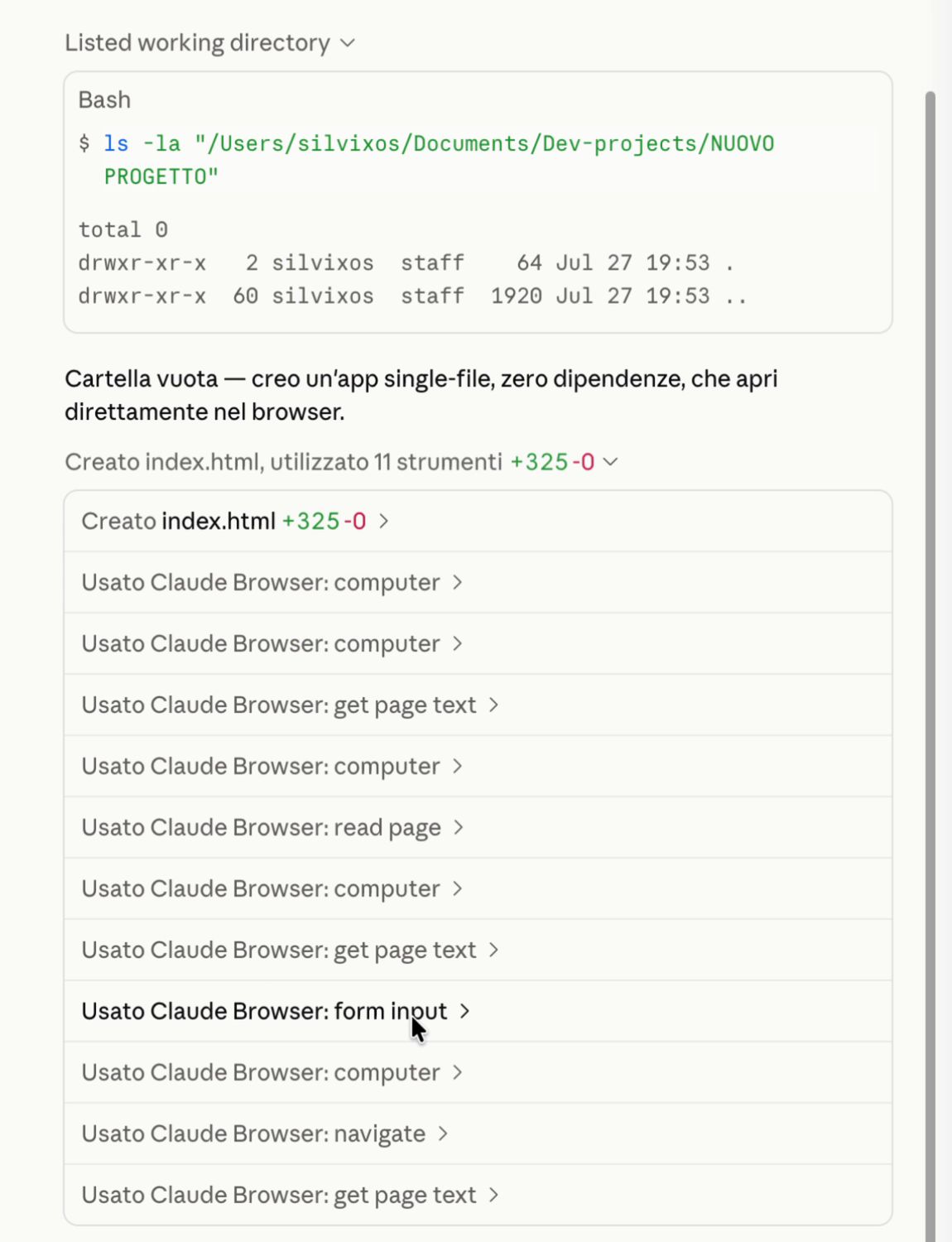
With a yardstick in hand, the loop closes in on itself: it acts, compares, notices something's off, fixes it, compares again. All of this before handing the work back to you.
It's the difference between a collaborator who brings you the first draft and one who brings you the third — having thrown out the first two on their own.
The practical rule
Before kicking off a task, ask yourself one question: "how would it know, on its own, whether it got this right?"
If you can't answer that, the yardstick is missing. And if it's missing, checking falls entirely on you, at the end, when fixing things costs the most.
Now what
You now have every piece of the first bucket: what gets through and what stops, the rules, the modes, the plan, and the yardstick. In the next lesson we put them all together on a real task, start to finish.
Did you get it?
Two minutes, no grade. Trying to answer — even getting it wrong — cements the concepts far more than rereading. Not in the mood? Skip it: the lesson still counts as complete.
What does it mean to "give it a yardstick"?
A yardstick isn't a nicer explanation: it's a reference it can compare its own work against — an image, a sample file, a checklist. Without one, you're the only judge, and only at the end.
Why does a yardstick make the agent loop more effective?
Remember the loop? Think, act, check how it went. A yardstick turns that "check how it went" into a real check instead of a guess: it can correct itself, inside the loop, without going through you.
You want a page to come out like an image you have in mind. What do you do?
Describing a visual in words is the slowest, least precise way to communicate it. An image is both the request and the yardstick: it looks at it, builds, compares, and corrects itself.
 Course Claude Code Basics
 -
Chapter 1 Introduction
-
Chapter 2 What's Underneath
-
Chapter 3 You Choose the Engine
-
Chapter 4 First Time at the Controls
-
Chapter 5 What You Let It Touch
-
Chapter 6 What It Knows About You
-
Chapter 7 Skills
-
Chapter 8 How Many You Put to Work
-
Chapter 9 What It's Connected To
-
Chapter 10 Automating the Setup
-
Chapter 11 Wrap-Up